Opening Flows
Last updated: 23 Dec 2022
Opening a Flow
To save a flow, you can use the "Open" button on the canvas, or use the "File" dropdown.
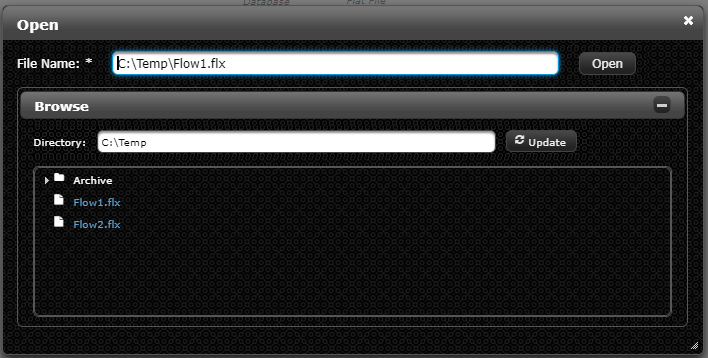
Select the flow file to open, and then click the "Open" button.
Recent Flow Files
Recent flows can also be opened through the "Flow File" dropdown. Clicking a flow here will open it as the active flow.
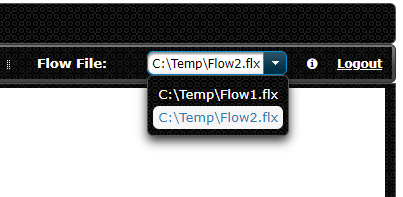
Note: Euclid Studio will not prompt the user to save any unsaved changes. Make sure to save your flow before switching to a new flow.