Email Alerting
Last updated: 09 Jan 2023
Euclid Studio can send out email notifications when automated flows are run.
To configure email alerting, click on Email Alerting in the Flow Options drop down list.
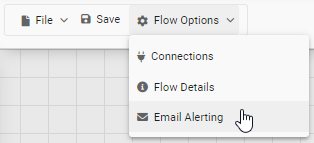
Setting up Email Alerting
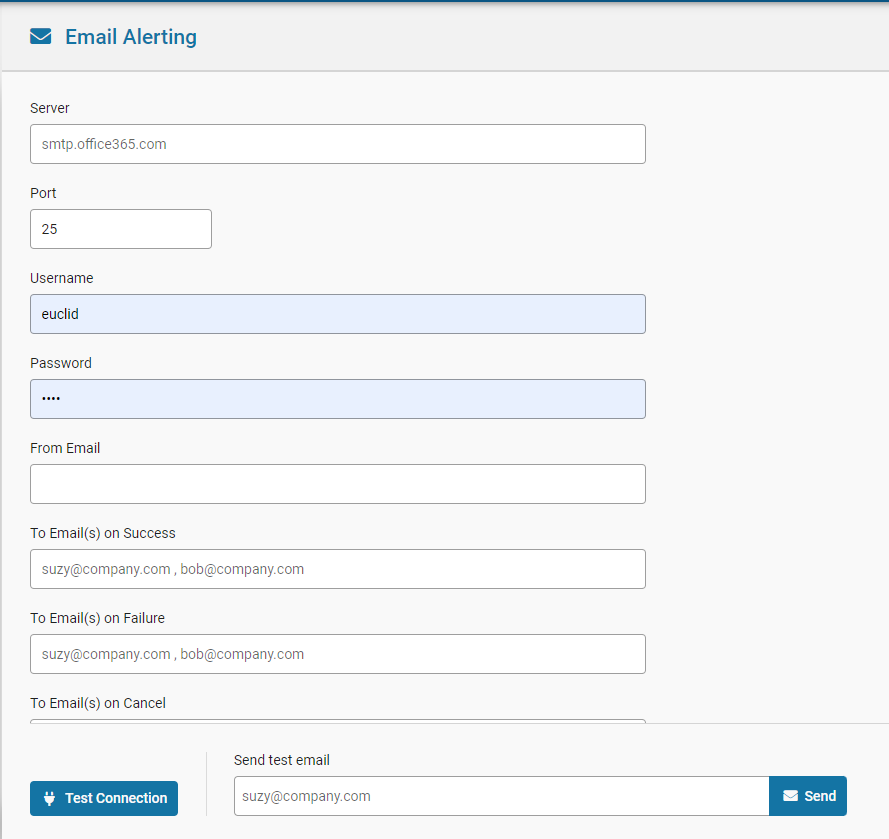
| Setting | Description |
|---|---|
Server |
SMTP server |
Port |
SMTP server port |
Username |
Username for server authentication |
Password |
Password for server authentication |
From Email |
From email address for notification email |
To Email on Success |
Email address for success emails. Can be multiple emails, separated by commas. |
To Email on Failure |
Email address for failure emails. Can be multiple emails, separated by commas. |
To Email on Cancel |
Email address for cancel emails. Can be multiple emails, separated by commas. |
CC |
CC for all notification emails. Can be multiple emails, separated by commas. |
BCC |
BCC for all notification emails. Can be multiple emails, separated by commas. |
Use SSL |
Use SSL setting for SMTP server connection |
Testing Alert Settings
After updating settings, they can be tested via the Test Settings option to ensure they work.